
Your business keeps answering while you’re on the job.
Your calls, texts, email, calendar, quotes and invoices in one place — with an AI teammate that answers new leads in seconds, books them in, and checks with you first.
- No card to start
- Keep the number you have
- Cancel whenever
Marisol R.
New lead · texted your business number
Hi — my AC is blowing warm air. Can anyone come out today?
Sorry about that, Marisol — warm air in this heat is no fun. I can get a tech to you tomorrow between 8 and 10 AM, or today between 5 and 7 PM. Which suits you?
Tomorrow 8–10 please
Waiting for your OK
Ava wants to send Marisol a $189 diagnostic quote. It has not sent a price on its own yet.
The job you lost last week, you never even knew about.
Not because you're bad at your job. Because you were up a ladder when they texted, and by the time you got to your phone at 8pm they'd already booked the guy who answered.
A lead goes cold in under an hour
People text three businesses and go with whoever answers first. Every hour you take to reply, fewer of them are still listening.
The quote you meant to send on Tuesday
It is still in your head, or half-written on a notepad in the van. Nobody chased it, so it quietly became a no.
Six apps that do not talk to each other
A texting app, a calendar, a spreadsheet, an invoicing tool, a notes app, and a phone with 40 unread messages. Nothing knows what anything else did.
HandsFreeOS answers while you work, writes the quote, chases it, takes the payment, and brings you in when something actually needs you.
How it works
You stay in charge. It just stops being the thing you do at 11pm.
It does not arrive on day one pretending to be you. It earns each job, one at a time, where you can see it.
- 1Week one
Your number, your customers, your calendar — moved over
Keep your existing business number or get a new one. Your customers come in from a spreadsheet, or straight out of the CRM you use today. Your Google or Outlook calendar plugs in so nothing gets double-booked.
- 2Week two
It watches how you answer, and asks before it acts
The AI teammate drafts every reply and waits for your OK. You fix what is wrong. It learns your prices, your service area and the way you talk from a knowledge base you can read and edit.
- 3From then on
It answers on its own, and hands you the ones that matter
Once a kind of reply has earned enough of your approvals, it sends on its own — and you can put that back any time. Anything it is unsure of, anything about money, and anything a customer gets upset about comes straight to you.
What it does
Six apps and a notepad, replaced by one.
The parts of running a service business that eat your evenings, in one system that already knows who the customer is.
Every text, call and email in one thread
One business number, one inbox the whole team shares. Missed calls turn into a text back before the customer has put their phone down. Voicemail comes through typed out.
Customers book themselves, at hours you set
A booking page for each service, round robin across your crew, or a whole day dispatched. Reminders go out by text and email, so fewer people forget you are coming.
Quotes they approve with their name
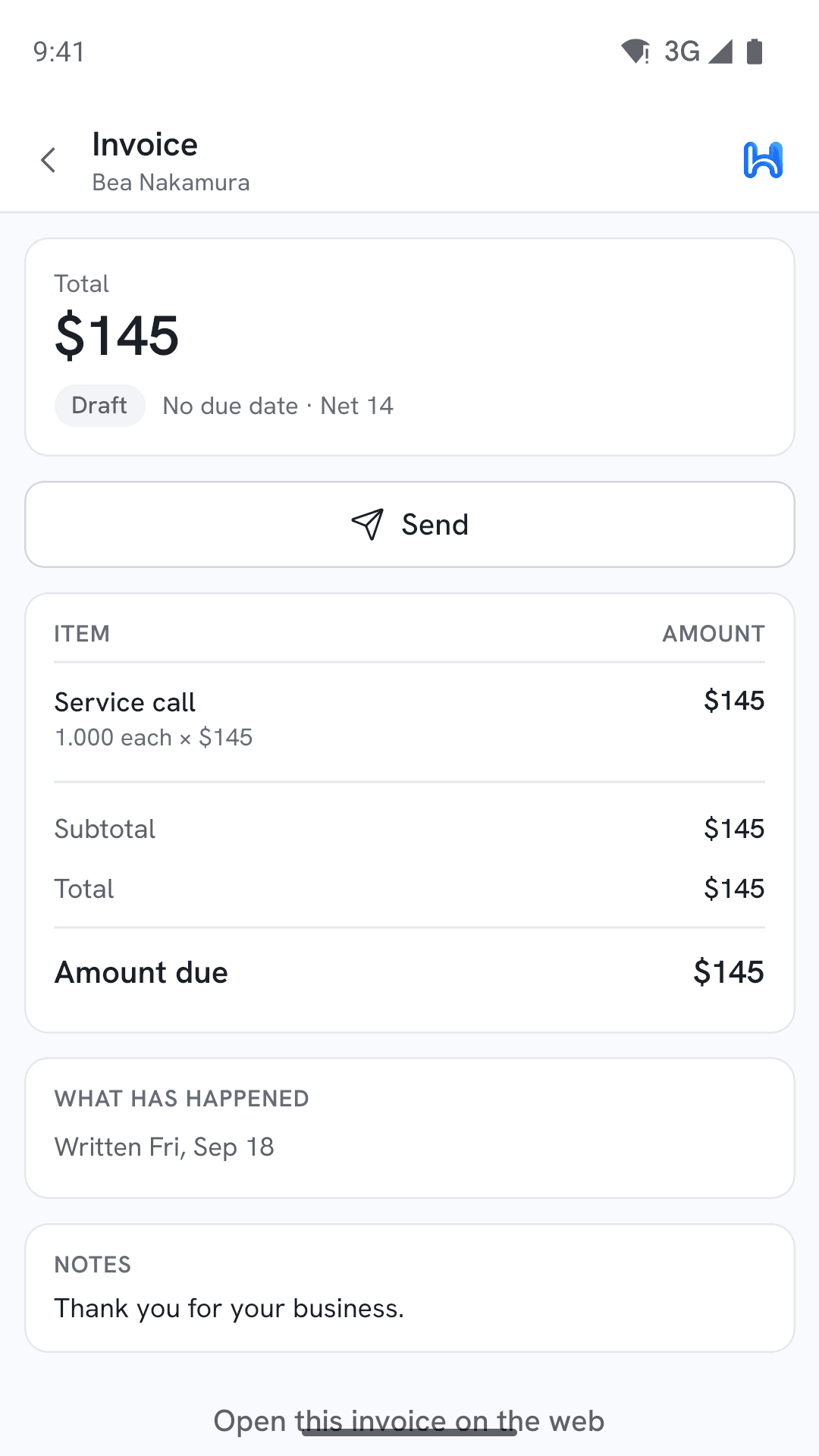
Send an estimate from your phone. They accept it on their own screen by typing their name. It becomes an invoice, and the invoice chases itself until it is paid.
The money lands in your account, not ours
Connect your own Stripe or Square. Card payments, deposits taken at booking, and plans that bill themselves every month settle into your balance. HandsFreeOS never holds your money.
One list of what needs you, money first
Home is not a dashboard of graphs. It is a ranked list: the hot lead waiting eleven minutes, the quote about to go stale, the invoice ten days late. The safe ones it just handles.
Ask it anything, in plain English
"Who hasn’t paid me?" "Book Dale for Thursday morning." "Text everyone whose service is due." It answers from your real data, and shows you what it is about to change first.
On the job
And in the pocket of whoever is doing the work.
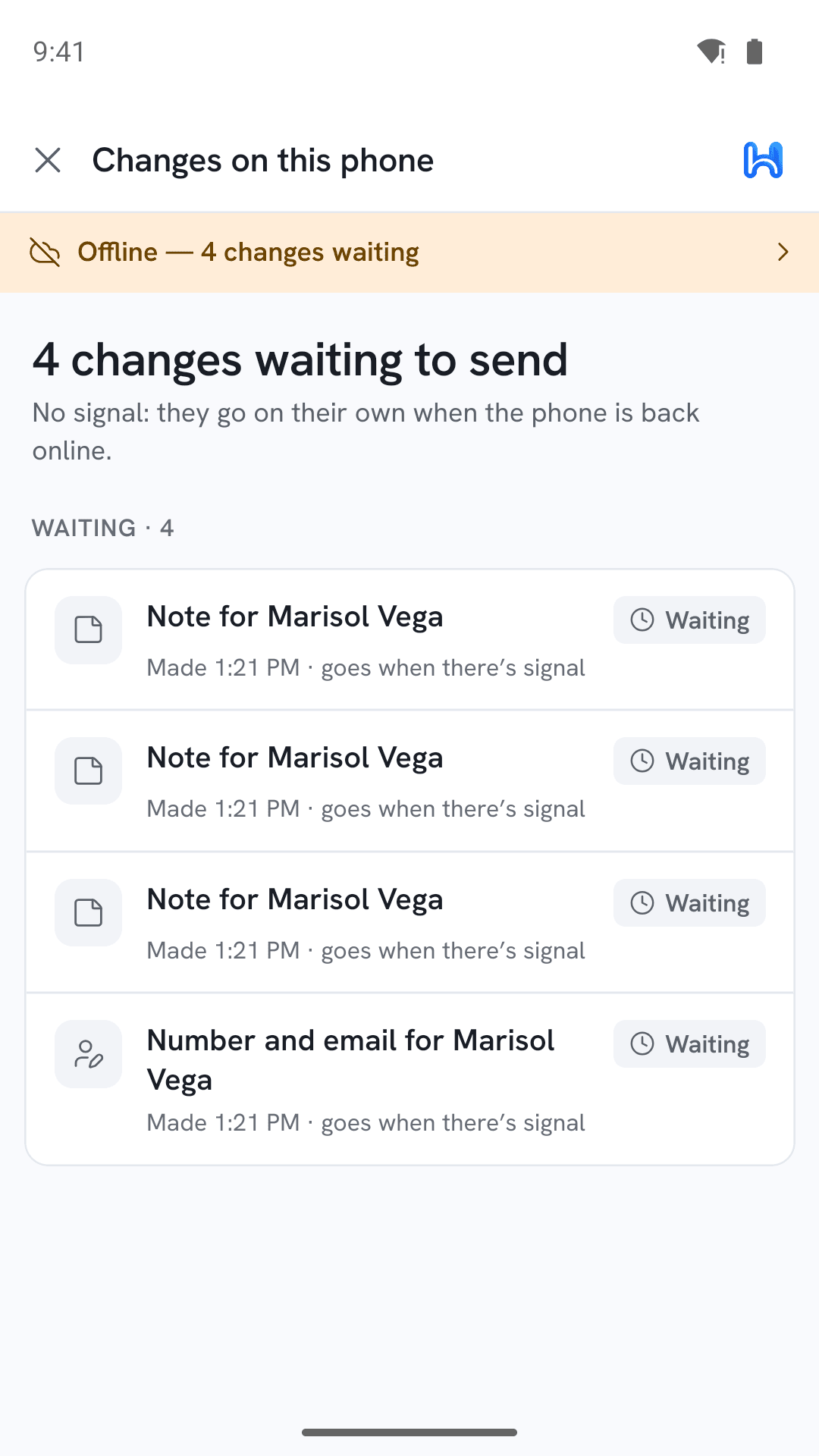
iPhone and Android, working with no signal at all — in a basement, in a crawlspace, an hour out of town — and catching up the moment the bars come back.
See the phone app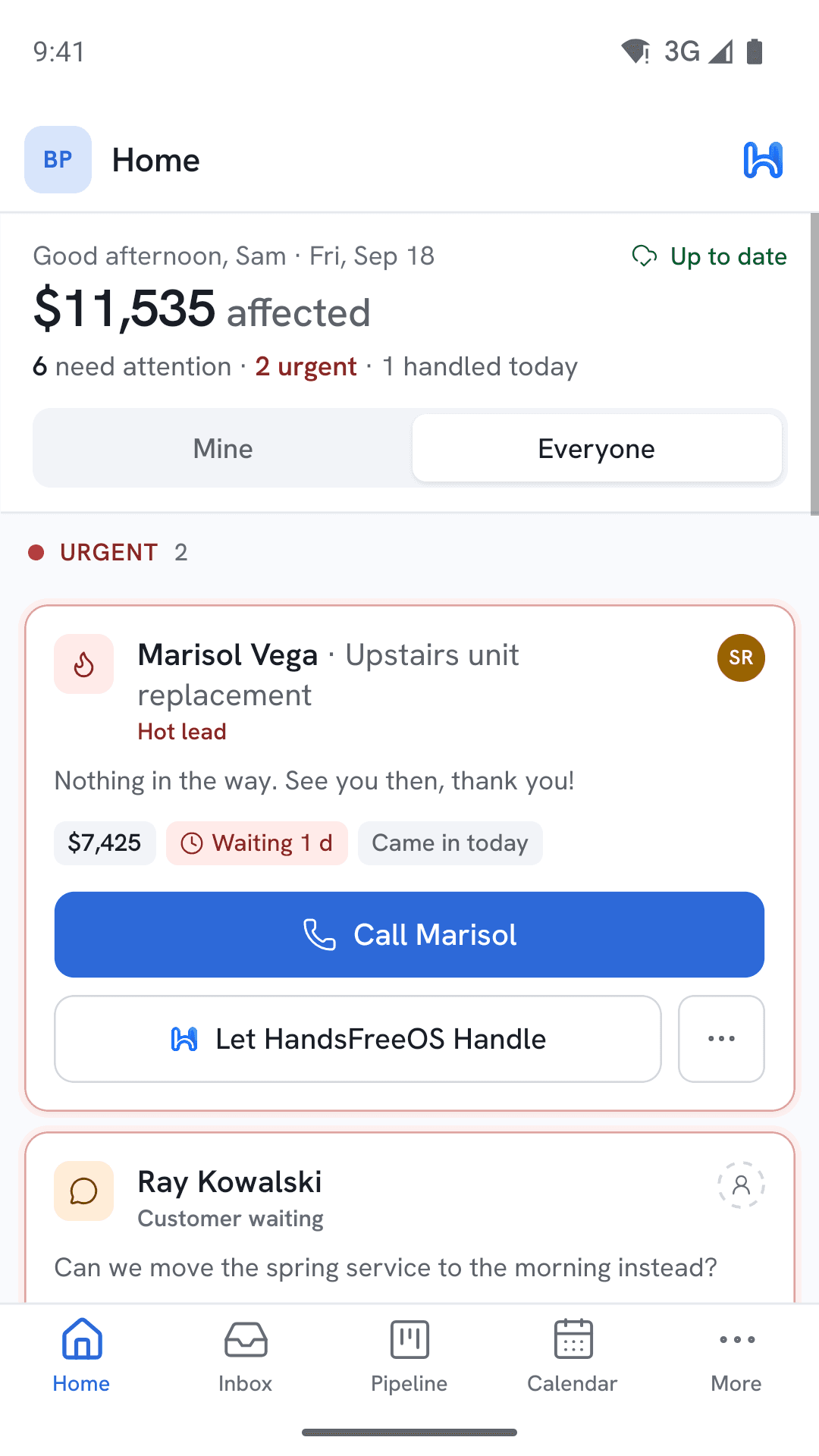
Why this one
Built to be trusted with your customers before it is trusted on its own.
Plenty of tools will answer your customers automatically. The question is what happens the first time one of them gets it wrong.
The AI asks first, until you say it does not have to
Most AI tools give you a switch: off, or loose on your customers. This one starts by drafting and waiting, and only sends on its own once that kind of message has earned enough of your approvals.
It works with no signal, in a basement or out of town
The phone app is not a website in a wrapper. Everything can be read and changed offline and syncs when you come back. A text you wrote with no bars sends itself within half an hour, or asks “still send?” if it has been longer.
Your number and your customers stay yours
Keep the number people already have for you. Your customer list, your history and your files export whenever you want. Leaving is a thing you can actually do.
Registered for texting the way the carriers demand
US business texting has to be registered, with real consent wording, or the carriers quietly drop your messages. That registration is part of setting you up, not a thing you find out about later.
Priced against the one job a month it saves you.
One price a month, every feature in the plan, and texts and calls passed through at what they cost us.
Fair questions.
The things people actually ask before they sign up.
Will my customers know they are talking to an AI?
You decide, and you write the wording. Most businesses have it say something like "this is Ava, Lone Star’s assistant" on the first message. It never claims to be you, and it hands over to a person the moment somebody asks for one or sounds unhappy.
What happens if it says something wrong?
For the first weeks it cannot say anything without you pressing send. After that it only sends on its own for the kinds of messages you have approved over and over. Prices stay locked until you turn them on, and then it can only quote a number exactly as you wrote it.
Do I have to give up my phone number?
No. You can bring the number your customers already have, or start with a new one and forward the old one. Calls still ring your actual cell phone — this is not a system that makes you answer calls in an app.
I am not technical. How long does setup take?
An afternoon, and you do not do it on your own. Most of it is answering questions in plain English — the Assistant sets up your hours, services, reminders and the rest from what you tell it. Carrier registration for texting takes a few business days in the background.
What about the customers and history I already have?
They come across. A spreadsheet imports in a few minutes. From another CRM, everything is counted before anything moves, the same customer arriving twice is joined without guessing, old conversations keep the dates they really happened on, and the whole thing can be undone. The migration is proven on GoHighLevel first, with more systems following — tell us what you are on and we will tell you where it stands.
Can my crew use it out in the field?
That is what the phone app is for. Everything works with no signal and catches up later, photos and notes attach to the job, and payment links go out from the driveway.
The next lead texts you at 7pm. What happens?
Set it up this week, watch every reply before it goes out, and let go of the ones it gets right. Start free — there is nothing to cancel if it is not for you.